
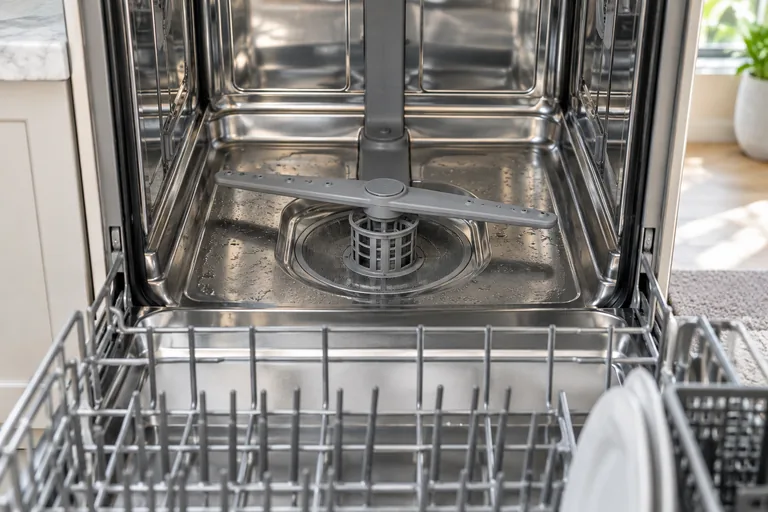
Your dishwasher has several safety systems designed to prevent water damage to your home, and the float switch is one of the most important. This simple mechanical device monitors the water level inside the dishwasher and tells the water inlet valve when to stop filling. When the float switch malfunctions, you'll experience either a dishwasher that won't fill with water at all, or one that keeps filling until water overflows onto your floor.
In this comprehensive guide, we'll explain how the float switch system works, help you diagnose whether it's causing your dishwasher problems, show you how to test the components, and walk you through the replacement process if needed.
Understanding the Dishwasher Float System
The float system consists of two parts that work together to control water levels:
The Float Assembly
The float assembly is the visible part—a small dome, cylinder, or cup-shaped component located inside the dishwasher tub, usually in the front left or right corner. It's designed to float on the water as the dishwasher fills. The float is attached to a stem that extends through the bottom of the tub.
Different dishwasher brands use various float designs:
- Dome float: A small dome-shaped cap (most common in Whirlpool, Maytag, KitchenAid)
- Cylinder float: A tall cylindrical tube (common in GE, Samsung)
- Cup float: A small cup-shaped component (various brands)
The Float Switch (Overfill Switch)
The float switch is located underneath the tub, beneath the float assembly. It's an electrical switch that responds to the position of the float. When the float rises, it activates the switch, which sends a signal to stop the water inlet valve from filling. Some dishwashers use a simple mechanical switch, while others use a micro switch.
How They Work Together
- When you start a cycle, the control board opens the water inlet valve
- Water flows into the dishwasher tub
- The float begins to rise as water level increases
- When water reaches the proper level, the float triggers the switch
- The switch signals the control board to close the water inlet valve
- During the cycle, if water level drops (draining between phases), the float drops and can allow refilling as needed
Float System vs. Pressure Switch
Some dishwashers use a pressure switch (also called water level sensor) instead of or in addition to a float switch. The pressure switch measures water level based on air pressure in a tube. If your dishwasher doesn't have a visible float, it likely uses a pressure-based system. The troubleshooting for pressure switches is different from float switches.
Signs of Float Switch Problems
Float switch issues typically manifest in one of two ways: the dishwasher doesn't fill with enough water, or it overfills. Here are the specific symptoms to watch for:
Dishwasher Not Filling (or Filling Slowly)
- No water enters: You start the cycle but hear no water flowing in
- Very little water: The dishwasher runs but there's barely any water in the bottom
- Dishes not getting clean: Due to insufficient water, dishes remain dirty
- Pump sounds labored: The wash pump runs but sounds like it's struggling (not enough water to pump)
Float-related causes: The float is stuck in the raised position, telling the dishwasher it's full when it's not. This can happen due to debris, a stuck float stem, or a failed switch.
Dishwasher Overfilling
- Water overflows: Water leaks out around the door during fill
- Excessive water in tub: Much more water than normal visible through the door
- Water on floor after cycle: Evidence of overflow even if you didn't see it happen
- Flood safety triggers: The dishwasher's flood sensor (if equipped) activates and stops operation
Float-related causes: The float is stuck in the down position (not rising with water), or the float switch has failed closed (always allowing filling).
Overfill Warning
If your dishwasher is overfilling, this is a serious issue that can cause significant water damage. Avoid using the dishwasher until the problem is resolved. The float switch is a safety device, and its failure can result in flooding.
Diagnosing Float Switch Problems
Before replacing parts, systematically diagnose the problem to confirm the float switch is the issue.
Step 1: Check the Float Movement
- Open the dishwasher door and locate the float (usually front left or right corner)
- Gently lift the float with your fingers—it should move freely up and down
- Release it and ensure it drops back down freely
- Listen for a soft click when you push the float down (the switch activating)
What you're checking for:
- Stuck float: If the float won't move freely, something is preventing it
- Debris: Food particles, utensils, or mineral deposits under the float
- Damaged float: Cracks or warping that prevent proper movement
- Stuck stem: The stem below the float may be corroded or obstructed
Step 2: Clean the Float Area
Often, a stuck float is simply dirty. Before further troubleshooting:
- Remove the float by lifting it straight up (some twist off, most pull off)
- Check underneath for debris, utensils, or buildup
- Clean the float and the housing with warm, soapy water
- Check the float stem for corrosion or mineral deposits
- Rinse thoroughly and reinstall the float
- Test movement again
Step 3: Test the Float Switch with a Multimeter
If the float moves freely but you still have filling issues, test the switch itself:
Safety First
Before testing electrical components, turn off the circuit breaker to the dishwasher and unplug it if accessible. The float switch operates on household voltage and can cause shock if tested while powered.
- Access the underside of the dishwasher tub (you may need to remove the kick plate and possibly slide the dishwasher out)
- Locate the float switch—it's mounted directly below the float assembly and has two wires connected
- Disconnect the wire harness from the switch
- Set your multimeter to continuity or resistance mode
- Touch the meter probes to the switch terminals
| Float Position | Expected Reading | Indicates |
|---|---|---|
| Float down (released) | Continuity (closed circuit, ~0 ohms) | Switch allows filling |
| Float up (pressed) | No continuity (open circuit, infinite ohms) | Switch stops filling |
Interpreting results:
- No continuity in either position: Switch is failed open—dishwasher won't fill
- Continuity in both positions: Switch is failed closed—dishwasher will overfill
- Correct readings: Switch is working; problem is elsewhere (water inlet valve, control board, etc.)
Step 4: Check Related Components
If the float and switch test good, other components can cause similar symptoms:
For no-fill problems:
- Water inlet valve: May be failed or clogged
- Water supply: Shut-off valve may be closed or kinked supply line
- Control board: May not be sending signal to fill
- Door switch: Dishwasher may not recognize door is closed
For overfill problems:
- Water inlet valve: May be stuck open (requires professional repair)
- Control board: May be sending continuous fill signal
Replacing the Float Switch
If testing confirms a faulty float switch, replacement is a straightforward repair. Here's how to do it:
Tools and Parts Needed
- Replacement float switch (match to your model number)
- Phillips and flat-head screwdrivers
- 1/4" nut driver or socket
- Needle-nose pliers
- Flashlight
- Towels (for any residual water)
Replacement Procedure
Step 1: Prepare the Dishwasher
- Turn off the circuit breaker to the dishwasher
- Turn off the water supply to the dishwasher
- Remove the bottom dish rack
- Use towels to soak up any water in the bottom of the tub
Step 2: Access the Float Switch
- Remove the kick plate (lower front panel) by removing the screws holding it in place
- You may need to partially slide the dishwasher out from under the counter for better access
- Locate the float switch beneath the tub—it's directly below where the float is located inside
Step 3: Remove the Old Float Switch
- Take a photo of the wire connections for reference
- Disconnect the wire harness from the float switch (it may pull off or have a release tab)
- Remove the mounting screw(s) or release the mounting clips holding the switch
- Remove the old switch
Step 4: Install the New Float Switch
- Position the new switch in the same orientation as the old one
- Secure with the mounting screw(s) or clips
- Connect the wire harness (it should only fit one way)
- Verify the connection is secure
Step 5: Test and Reassemble
- With access still open, manually test the float—push down inside the tub and verify you feel the switch click
- Reinstall the kick plate
- Turn on the water supply
- Turn on the circuit breaker
- Run a short test cycle and verify proper filling
Replacing the Float Assembly
Sometimes the problem is the float itself rather than the switch. If the float is cracked, warped, or the stem is damaged, it needs replacement.
Float Assembly Replacement
- Remove the old float by pulling or twisting it off (varies by model)
- Note the orientation and how deep the stem extends
- If the entire assembly (float + stem + bracket) needs replacement:
- Access from underneath may be required
- Remove any clips or screws holding the bracket
- Disconnect the float switch if it's part of the assembly
- Install the new assembly in reverse order
- Verify free movement of the float
- Test operation
Float Switch Repair Costs
Understanding typical costs helps you decide between DIY and professional repair:
| Repair Type | Parts Cost | Labor (if professional) | Total |
|---|---|---|---|
| Float switch only (DIY) | $15-$50 | $0 | $15-$50 |
| Float switch only (professional) | $15-$50 | $100-$200 | $115-$250 |
| Complete float assembly (DIY) | $30-$80 | $0 | $30-$80 |
| Complete float assembly (professional) | $30-$80 | $100-$200 | $130-$280 |
Preventing Float Switch Problems
While float switches eventually wear out, these practices can extend their life:
- Keep the float area clean: Periodically check under the float for debris
- Rinse dishes before loading: Prevents large food particles from accumulating
- Run hot water before starting: Reduces mineral deposits from cold water
- Use a water softener: If you have hard water, it reduces mineral buildup
- Check float movement monthly: A quick lift-and-drop test catches sticking early
- Don't overload near the float: Keep tall items away from the float area
When to Call a Professional
While float switch replacement is DIY-friendly, some situations warrant professional help:
- Dishwasher is actively flooding: Turn off water and power immediately, then call for help
- Float and switch test good but problem persists: The issue may be the water inlet valve, control board, or wiring
- Difficulty accessing the switch: Some built-in installations make access challenging
- Dishwasher under warranty: DIY repairs may void warranty coverage
- Multiple symptoms: Filling issues combined with other problems suggest more complex failures
Need Dishwasher Repair Help?
Whether it's a float switch issue or a more complex problem, our certified technicians can diagnose and repair your dishwasher quickly.
Call (437) 524-1053Same-day service available in the Greater Toronto Area
Frequently Asked Questions
The dishwasher float switch is a safety device that prevents overfilling. It consists of a float assembly (a small dome or cylinder visible inside the dishwasher tub) and an overfill switch underneath. As water fills the dishwasher, the float rises. When it reaches a certain level, it triggers the switch to stop the water inlet valve, preventing flooding.
If your dishwasher isn't filling, the float may be stuck in the raised position, signaling the dishwasher is already full. Common causes include debris under the float, a damaged float assembly, or a stuck/failed float switch. Other possibilities include a faulty water inlet valve, closed water supply, or kinked supply hose.
First, check that the float moves freely up and down. Then, access the float switch under the dishwasher tub and test it with a multimeter set to continuity. When the float is down, you should have continuity (closed circuit). When the float is up, there should be no continuity (open circuit). If these readings are incorrect, the switch needs replacement.
Yes, replacing a float switch is a manageable DIY repair for most homeowners. It requires basic tools and takes about 30-45 minutes. You'll need to access the area beneath the dishwasher tub, disconnect the old switch, and install the new one. The main challenges are accessing the switch and ensuring proper wire connections.
The float switch part itself costs $15-$50 depending on the brand. The complete float assembly (float and switch) runs $30-$80. Professional replacement typically adds $100-$200 in labor, making the total cost $130-$280 for professional service. DIY replacement saves significantly on labor.
